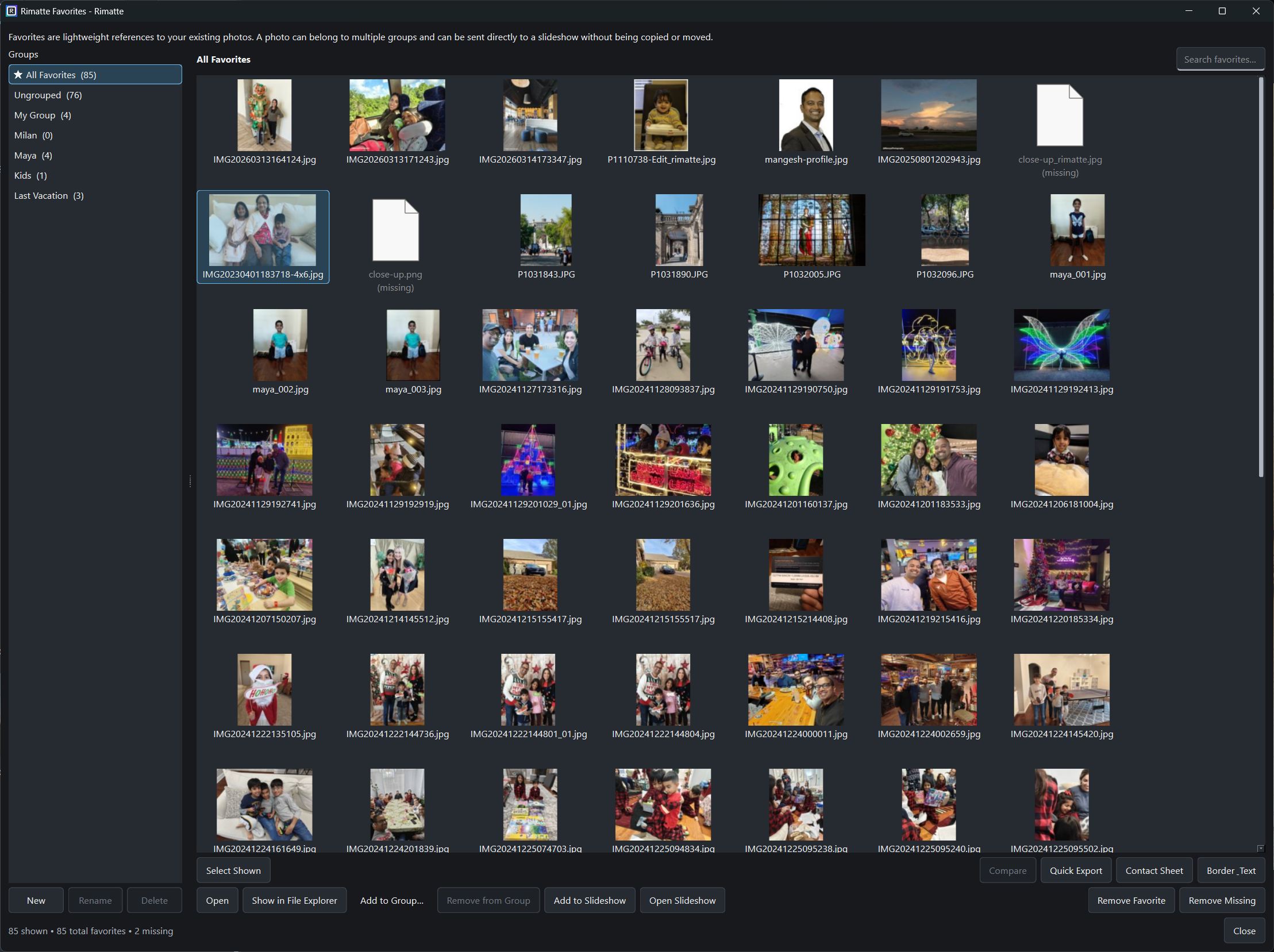
Browse & organize
Work with the folders you already have
Navigate folders and subfolders, search by filename, inspect metadata, zoom and pan, view full screen, and keep important photographs close with persistent Favorites and Favorite Groups.
A lightweight Windows photo workflow for the jobs between capture and editing.
Browse folders, organize favorites, compare similar frames, create contact sheets or slideshows, and finish photos with borders, shadows, text, watermarks, and logos. Rimatte works with ordinary files and folders, without requiring a proprietary catalog.
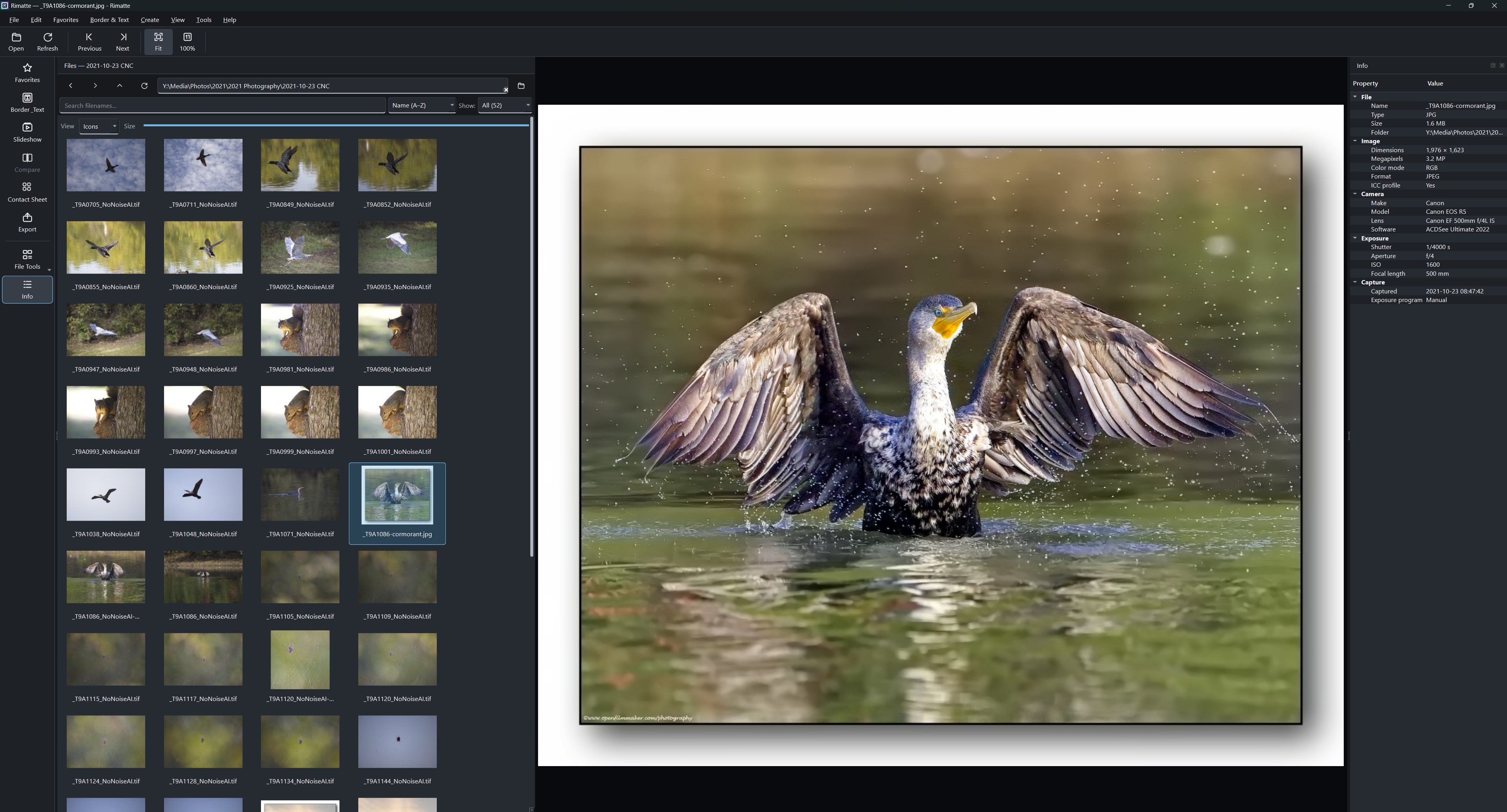
Work directly with photo folders on your PC, with browsing, metadata, favorites, comparison, and finishing tools close at hand.
Rimatte is not trying to replace your RAW editor. It handles the practical work around it: finding photographs, choosing between frames, preparing presentations, and exporting finished copies.
Rimatte brings its major capabilities together around the parts of a photographer's workflow where a full editor or catalog can feel like more than you need.
Navigate folders and subfolders, search by filename, inspect metadata, zoom and pan, view full screen, and keep important photographs close with persistent Favorites and Favorite Groups.
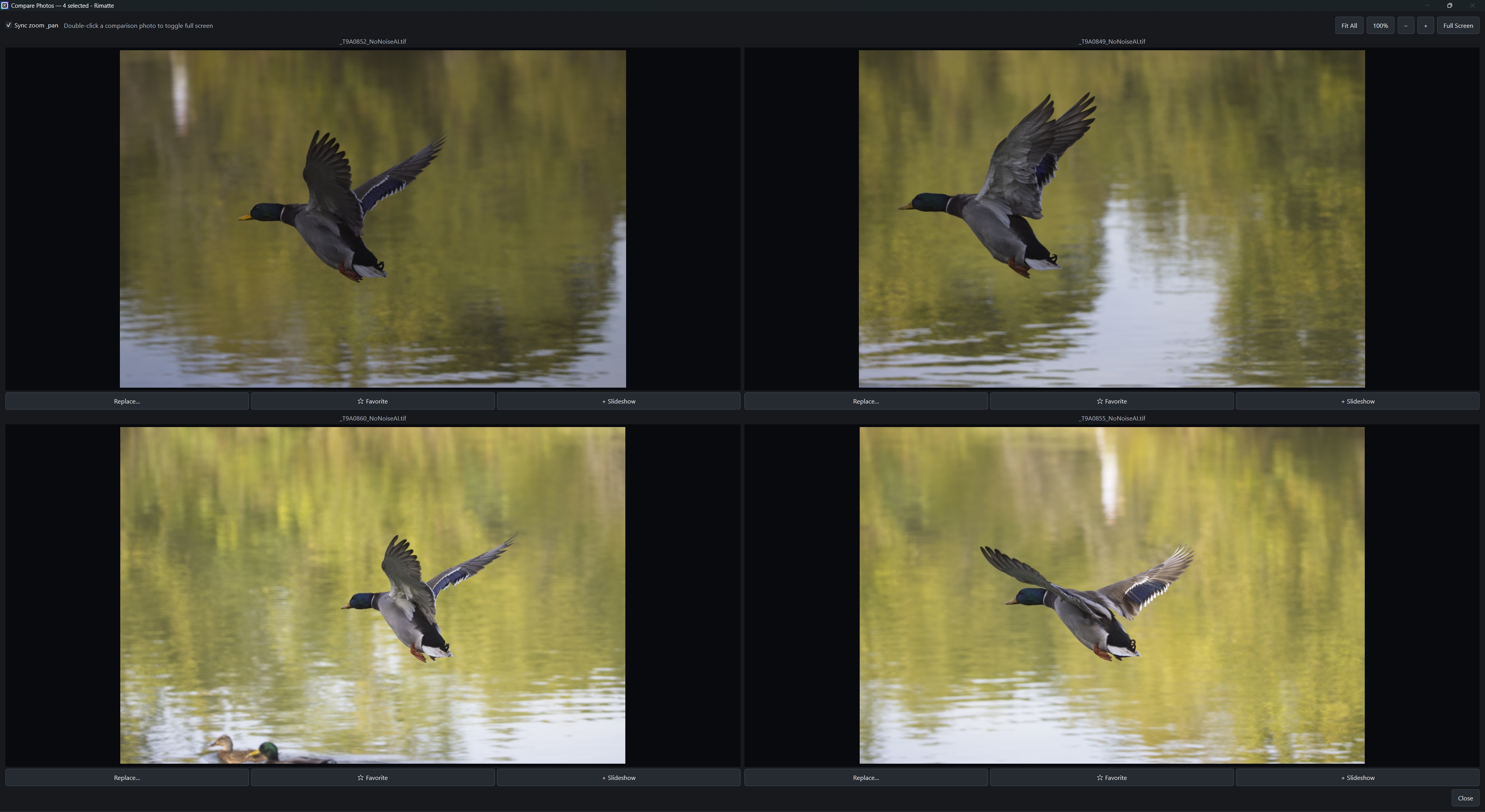
Compare 2–4 photographs side by side with optional synchronized zoom and pan so you can inspect details without moving into a heavyweight catalog workflow.
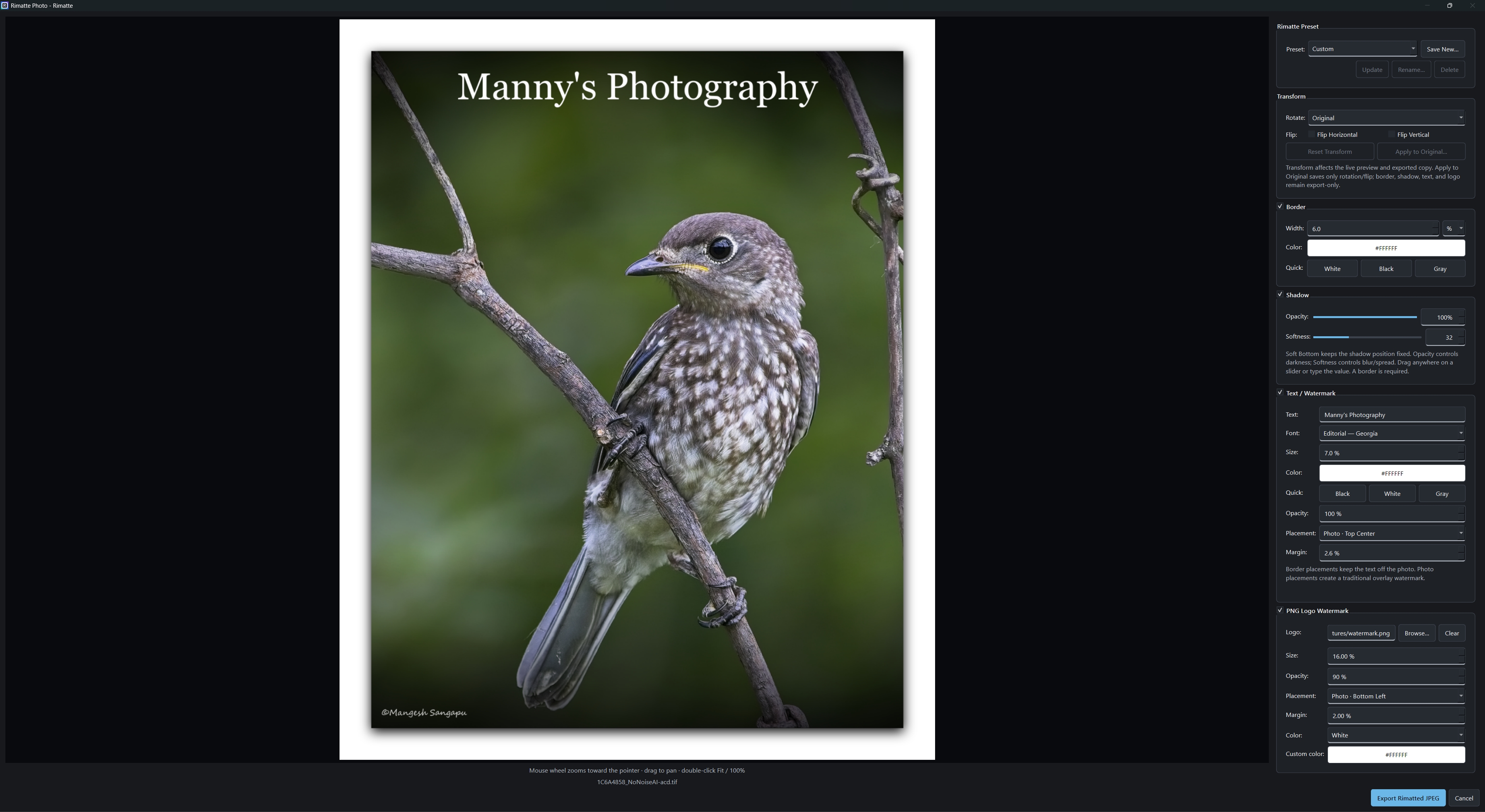
Rotate or flip, add borders and Soft Bottom shadow, place text or watermarks, add transparent PNG logos, and save reusable Rimatte Presets for presentation settings you use again.
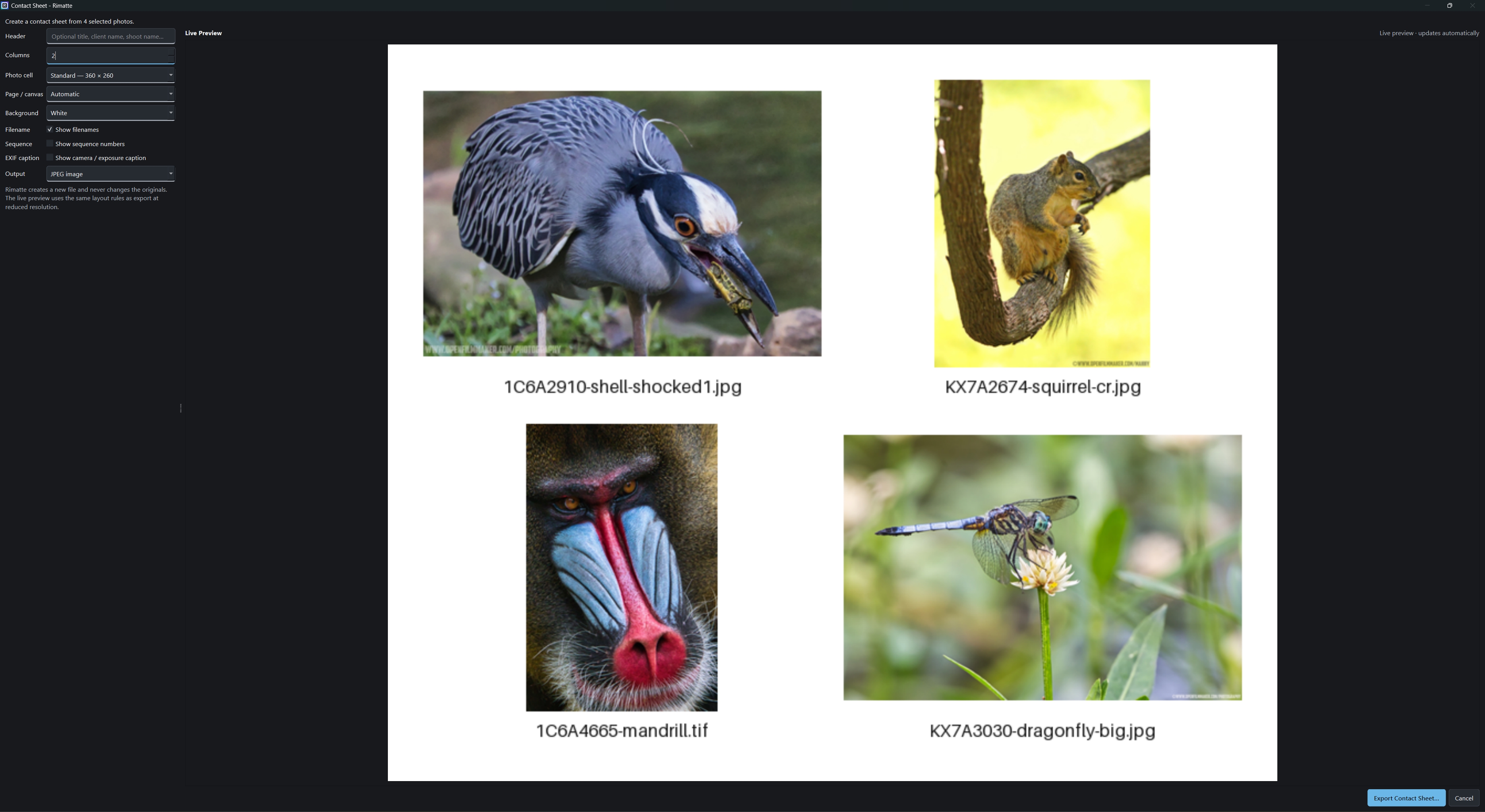
Create JPEG or PDF contact sheets, build and save slideshow projects, export MP4 or animated GIF slideshows, or make high-quality resized JPEG copies with Quick Export.
Flexible columns, filenames, sequence numbers, headers, and optional EXIF captions.
Tag and reorder photos, save projects, and export 1080p or 720p H.264 MP4 video or animated GIFs.
Duplicate detection, burst grouping, EXIF filtering, conversion, privacy/social exports, metadata copy, batch rename, and cache tools.
Rimatte works directly with photographs already stored on your computer. Normal browsing and organizing do not require an account or cloud photo library. Thumbnail cache and application state stay local while full-size photographs remain in their existing folders.
Presentation exports create new output files. Explicit file-management actions such as rename, move, and Recycle Bin only happen when you choose them.
Rimatte does not currently decode RAW photographs and is not a full image-editing suite. Use your preferred editor for RAW development, masks, advanced color work, and other heavyweight tasks.
Rimatte is for the smaller photography jobs that should not require opening all of that.
I originally built Rimatte because I wanted a quick way to add clean borders to my own photographs without opening a full photo editor every time. That grew into a focused set of tools for the small but recurring jobs around a photography workflow.
The name combines rim and matte, two ideas tied to presenting and framing a photograph.
Alongside building the photography workflows, I'm documenting how Rimatte is designed and developed: product decisions, software architecture, documentation practices, and where AI-assisted development helps or falls short.
Those notes are the story behind the product, not the product itself. Rimatte remains a photography application first.
Explore Rimatte documentation →MP4 slideshow export uses FFmpeg. Rimatte keeps that optional so the base installer stays lightweight.
The short version: Rimatte is a Windows photography utility that works with ordinary files and folders.
Rimatte is a lightweight Windows photo workflow for browsing folders, organizing favorites, comparing photographs, creating contact sheets and slideshows, finishing images for presentation, and exporting copies without requiring a proprietary catalog.
The name combines rim and matte, two ideas tied to framing and presenting a photograph. Rimatte Photo is the workflow for transforms, borders, shadows, text, watermarks, logos, and reusable presentation presets.
Yes. Rimatte is currently free to download and use.
No. Rimatte works directly with ordinary folders on your PC and does not require a proprietary catalog or cloud photo library.
Normal viewing, organizing, comparison, and exports do not silently modify originals. Rimatte Photo exports create new copies. The explicit Apply to Original command can save supported rotate/flip transforms to JPEG or PNG originals after confirmation, and file-management commands such as rename or move run only when you choose them.
Not in the current release. Rimatte currently focuses on JPEG, PNG, BMP, WebP, and TIFF workflows.
No. Rimatte intentionally focuses on lightweight viewing, organization, presentation, and export tasks rather than RAW development or advanced image editing.
Rimatte your photo. Transform. Frame. Finish.
Rimatte is free. If it has been useful to you, you can help support continued development.